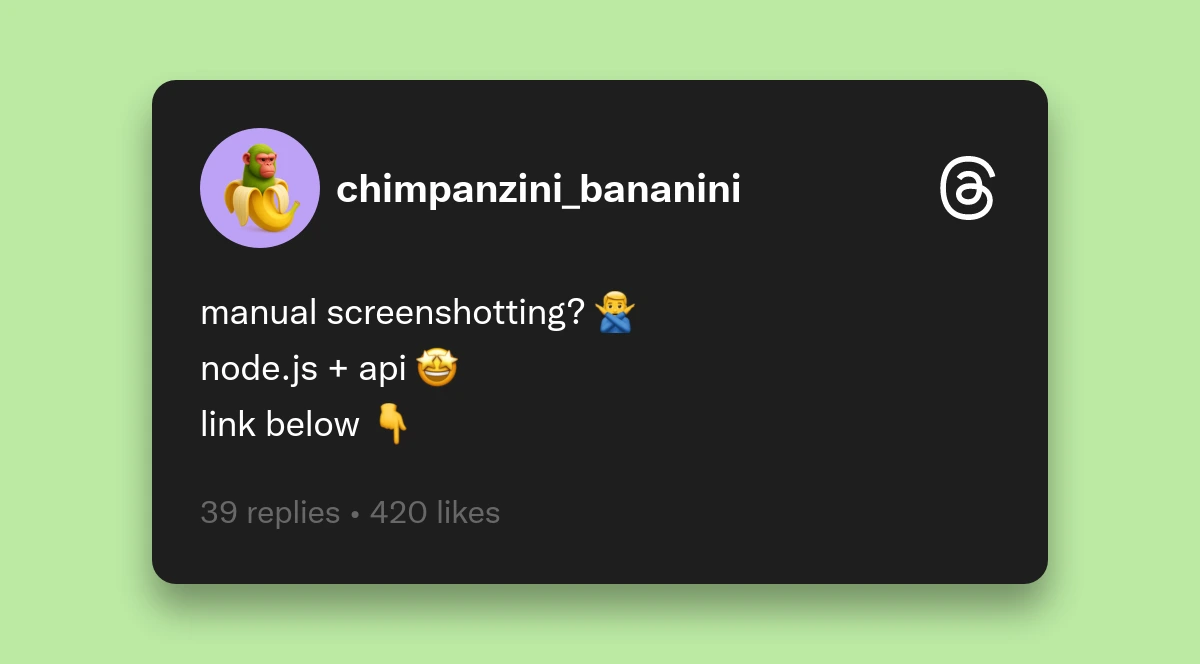
Generate Twitter screenshot images programmatically using a REST API. Send JSON payload, receive PNG buffer. No browser automation or manual screenshots needed.
This Node.js tutorial covers authentication, field configuration, error handling, and deployment-ready code. Requires Node.js 14+ and an API key.
What Can You Build with Twitter Screenshot APIs?
Build dynamic OG images, product dashboards, marketing testimonials, content archives, and documentation. Automate any workflow needing tweet screenshots.
- Dynamic OG Images: Generate unique social preview cards per page/article
- Product Dashboards: Display tweets as static images instead of slow embed widgets
- Marketing Sites: Automatically update testimonials without manual screenshots
- Content Archiving: Preserve exact visual snapshots with timestamps and metrics
- Documentation: Include tweet examples that load fast and survive deletion
How Does the Twitter Screenshot API Work?
Single REST endpoint returns PNG buffers. POST to api.socialrenders.com/generate with Bearer token. Receives 1200px wide PNG image. No browser automation required.
Technical Details:
- Endpoint:
POST https://api.socialrenders.com/generate - Auth: Bearer token (
sk_live_*) - Output: PNG image (1200px width, 400-1200px height)
- Template:
"twitter-post" - Custom avatars: Base64 data URLs supported
- Styling: Background color, shadows (0-3), transparency
- Fields: All optional with smart defaults
What Do You Need to Get Started?
Node.js 14+ and a Social Renders API key. Sign up at socialrenders.com to get your API key starting with sk_live_.
Node.js Requirements:
- Node.js version 14.x or higher (for native fetch support in Node 18+, or use
node-fetchfor earlier versions) - npm or yarn package manager
API Access:
- Sign up at socialrenders.com
- Navigate to your dashboard and generate an API key
- Copy your key. It starts with
sk_live_
Project Structure:
Create a new Node.js project with the following package.json:
{
  "name": "twitter-screenshot-generator",
  "version": "1.0.0",
  "type": "module",
  "dependencies": {
    "node-fetch": "^3.3.0",
    "dotenv": "^16.3.1"
  }
}
Note: If you're using Node.js 18+, fetch is built-in and you can
skip the node-fetch dependency. For this tutorial, we'll use the native fetch API.
Step-by-Step Node.js Implementation
1. Initialize Your Project & Install Dependencies
Create a new directory and initialize your project:
mkdir tweet-screenshot-api
cd tweet-screenshot-api
npm init -y
npm install dotenv
For Node.js versions below 18, also install:
npm install node-fetch
Create a .env file to store your API key securely:
SOCIAL_RENDERS_KEY=sk_live_your_actual_api_key_here
Important: Add .env to your .gitignore to prevent
accidentally committing secrets.
2. Set Up API Authentication
Create a new file called generateTweet.js and import your dependencies:
import 'dotenv/config';
import fs from 'fs/promises';

const API_KEY = process.env.SOCIAL_RENDERS_KEY;
const API_ENDPOINT = 'https://api.socialrenders.com/generate';

if (!API_KEY || !API_KEY.startsWith('sk_live_')) {
  throw new Error('Invalid API key. Ensure SOCIAL_RENDERS_KEY is set in .env');
}
Security Best Practices:
- Never hardcode API keys in your source code
- Use environment variables (
process.env) for all secrets - Validate the API key format before making requests
- Use your
sk_live_API key - Rotate keys immediately if they're exposed
The API authentication mechanism uses Bearer token authorization, which you'll include in the request headers.
Complete Working Code Example
Here's the full, copy-paste-ready implementation:
import 'dotenv/config';
import fs from 'fs/promises';

// Configuration
const API_KEY = process.env.SOCIAL_RENDERS_KEY;
const API_ENDPOINT = 'https://api.socialrenders.com/generate';

// Validate API key
if (!API_KEY || !API_KEY.startsWith('sk_live_')) {
  throw new Error('Invalid API key. Set SOCIAL_RENDERS_KEY in .env');
}

// Tweet configuration
const tweetConfig = {
  template: 'twitter-post',
  fields: {
    displayName: 'Sarah Chen',
    username: 'sarahchen',
    isVerified: true,
    avatarInitials: 'SC',
    tweetText: 'Just shipped our new API feature! 🚀\n\nDevelopers can now generate social media screenshots programmatically.\n\nhttps://socialrenders.com\n\n#DeveloperTools #API',
    timestamp: '2h',
    retweets: '1.2K',
    likes: '3.4K',
    replies: '234',
    enableBackgroundColor: true,
    backgroundColor: '#1a1a1a',
    boxShadowAmount: 2,
  }
};

// Generate screenshot
async function generateTweetScreenshot(config) {
  const response = await fetch(API_ENDPOINT, {
    method: 'POST',
    headers: {
      'Authorization': `Bearer ${API_KEY}`,
      'Content-Type': 'application/json',
    },
    body: JSON.stringify(config),
  });

  if (!response.ok) {
    const errorText = await response.text();
    throw new Error(`API failed (${response.status}): ${errorText}`);
  }

  const imageBuffer = await response.arrayBuffer();
  return Buffer.from(imageBuffer);
}

// Save to file
async function saveTweetImage(imageBuffer, filename = 'tweet-screenshot.png') {
  await fs.writeFile(filename, imageBuffer);
  console.log(`✅ Saved: ${filename}`);
}

// Execute
(async () => {
  try {
    const imageBuffer = await generateTweetScreenshot(tweetConfig);
    await saveTweetImage(imageBuffer);
  } catch (error) {
    console.error('❌ Error:', error.message);
    process.exit(1);
  }
})();
Get your API key now to run this code in your environment.
Dynamic OG Images
Generate tweet screenshots and use them as og:image meta tags for better social
sharing previews. Contextual images perform better than generic branded graphics.
Benefits:
- Relevance: Show topic-specific content in preview
- Social proof: Verified badges and engagement metrics build credibility
- Automation: Update OG images when content changes
Advanced Configuration
Custom Profile Pictures:
Use profilePicture with base64 data URLs instead of avatarInitials:
import fs from 'fs/promises';

// Read image file and convert to base64
const imageBuffer = await fs.readFile(('./profile.png');
const base64Image = `data:image/png;base64,${imageBuffer.toString('base64')}`;

const config = {
  template: 'twitter-post',
  fields: {
    profilePicture: base64Image,  // Use base64 data URL
    displayName: 'Sarah Chen',
    username: 'sarahchen',
    // ... other fields
  }
};
Transparent Backgrounds:
For layering on custom backgrounds, disable the card background:
fields: {
  enableBackgroundColor: false,  // Transparent background
  // boxShadowAmount: 0,  // Optionally remove shadow too
}
Common Pitfalls & Troubleshooting
Authentication Errors (401 Unauthorized):
Error: API failed (401): Invalid API key
Solution: Verify your API key starts with sk_live_ (production) or
sk_live_. Check that Authorization: Bearer ${API_KEY}
header is included in every request.
Field Validation Errors:
The API validates field types. Common mistakes:
// ❌ Wrong: boxShadowAmount as string
boxShadowAmount: '2'

// ✅ Correct: boxShadowAmount as number (0-3)
boxShadowAmount: 2

// ❌ Wrong: isVerified as string
isVerified: 'true'

// ✅ Correct: isVerified as boolean
isVerified: true
Other Social Platforms
The API supports Reddit, Threads, and LinkedIn templates using the same authentication and
endpoint. Only the template field and available fields change. See the
documentation for complete field references.
Getting Started
Quick Start:
- Sign up at socialrenders.com
- Get your API key (starts with
sk_live_) - Install dependencies:
npm install dotenv - Copy the code example from this guide
- Set
SOCIAL_RENDERS_KEYin.env - Run
node generateTweet.js
Key Features:
- Sub-second generation (no browser automation)
- Pixel-perfect rendering matching authentic designs
- Bearer token authentication
- Single endpoint, no SDK required
- 100 free screenshots/month
Get your API key to start building.