What Problem Does Social Renders Solve?
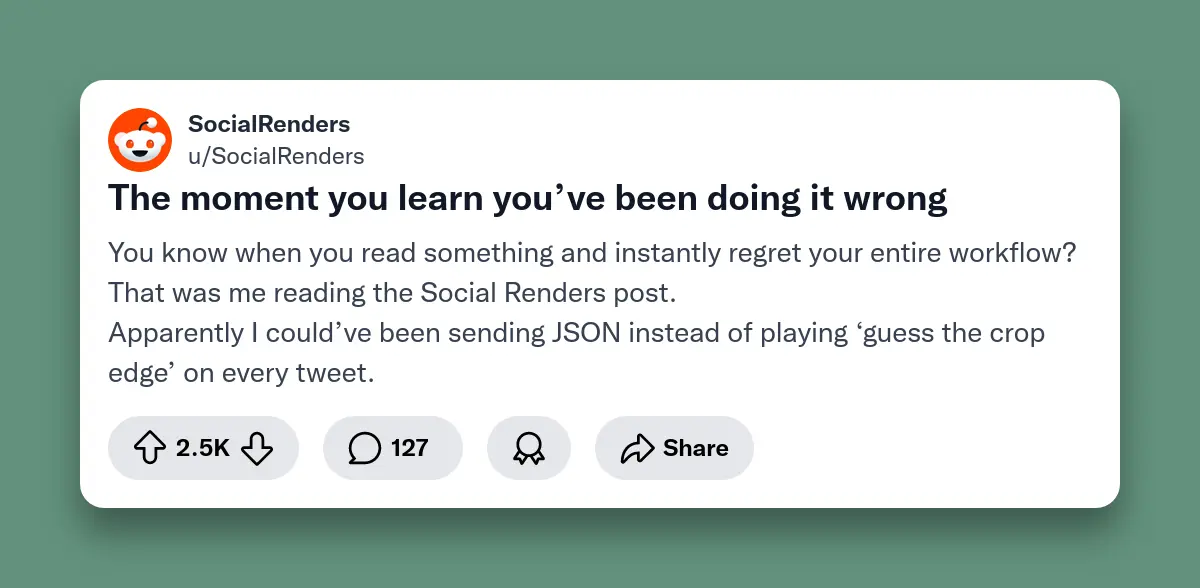
Social Renders API generates social media screenshots programmatically. Send JSON data, receive PNG images of Twitter, Reddit, LinkedIn, or Threads posts. No manual screenshots needed.
Manual screenshot capture doesn't scale. Capturing 50 tweet screenshots for a weekly digest takes hours of clicking, cropping, and saving. It's tedious, inconsistent, and wastes developer time.
Social Renders transforms JSON data into pixel-perfect social media screenshots. Build newsletter platforms, automate social proof for landing pages, or create dynamic OG images. Get programmatic control without manual work.
This guide shows how the Social Renders API works with real code examples. Learn practical use cases that save hours of repetitive work.
What is a Social Screenshot API?
A social screenshot API generates realistic images of social media posts by sending structured data instead of manually capturing screenshots. Send tweet data via HTTP request, receive a PNG image.
Think of it as rendering social media UIs on demand. No browser, no manual clicking. Just JSON in, image out.
Key benefits include:
- Speed: Automate hundreds or thousands of screenshots programmatically
- Automation: Integrate directly into your CI/CD pipeline, cron jobs, or serverless functions
- Consistency: Every image follows the same format and styling
- Scalability: Handle one screenshot or ten thousand with the same API endpoint
- Customization: Control usernames, timestamps, profile pictures, engagement metrics, and post content
Instead of opening Twitter, scrolling to a tweet, and using your screenshot tool, you make an HTTP request with the tweet data and receive a PNG image back. It's that simple.
How Does the Social Renders API Work?
Send a JSON payload describing the social media post. The API returns a rendered PNG image. Social Renders uses headless browser rendering to create authentic screenshots.
Here's the flow:
- Prepare your data (username, post content, timestamp, etc.)
- Make a POST request to the Social Renders API endpoint
- Receive a PNG image as a binary response or hosted URL
- Cache the image for future use
Each platform template is regularly updated to match the latest UI changes. Your screenshots always look current.
What Platforms Are Supported?
| Platform | Template Support | Dark Mode | Verified Badges | Metrics (Likes, Retweets, etc.) |
|---|---|---|---|---|
| Twitter/X | ✅ | ✅ | ✅ | ✅ |
| ✅ | ❌ | ✅ | ✅ | |
| Threads | ✅ | ✅ | ✅ | ✅ |
| ✅ | ❌ | ✅ | ✅ |
Quickstart: Generate Your First Twitter Screenshot
You can quickly generate realistic Twitter screenshots with Node.js using the Social Renders API. Here's a simple example:
const fetch = require('node-fetch');
const fs = require('fs');

async function generateTweetScreenshot() {
  const apiKey = 'YOUR_API_KEY_HERE'; // Get your key from socialrenders.com

  const tweetData = {
    templateId: 'twitter-post',
    fields: {
      displayName: 'James Bond',
      username: 'jamesbond',
      tweetText: 'Just integrated the Social Renders API into our platform!',
      timestamp: '2h',
      replyCount: '42',
      repostCount: '87',
      likeCount: '324',
      isVerified: true,
      enableBackgroundColor: true,
      backgroundColor: '#1a1a1a',
      boxShadowAmount: 1,
    }
  };

  const response = await fetch('https://api.socialrenders.com/generate', {
    method: 'POST',
    headers: {
      'Authorization': `Bearer ${apiKey}`,
      'Content-Type': 'application/json'
    },
    body: JSON.stringify(tweetData)
  });

  const imageBuffer = await response.arrayBuffer();
  fs.writeFileSync('tweet-screenshot.png', Buffer.from(imageBuffer));
  console.log('Screenshot saved as tweet-screenshot.png');
}

generateTweetScreenshot();
How it works:
templateId: Choose the platform template (twitter-postfor tweets).fields: Customize the tweet with name, username, text, counts, and styling.
After running this script, you'll have a PNG file (tweet-screenshot.png) of a
realistic tweet which is perfect for demos, blogs, or social media posts.
How Much Does Social Renders Cost?
Social Renders starts free with 50 API calls per month. Paid plans offer unlimited renders. View full pricing at socialrenders.com/pricing.
What Can You Build with Social Renders?
Build newsletter automation, landing page social proof, dynamic OG images, and press kit generators. Automate any workflow that needs social media screenshots.
Newsletter Automation
Tech newsletters feature curated tweets. Social Renders automatically generates images from tweet URLs. Saves hours per newsletter issue without manual screenshots.
Social Proof for Landing Pages
SaaS companies display customer testimonials from Twitter and LinkedIn. Social Renders dynamically generates fresh testimonial screenshots. Landing pages stay current without manual design work.
Dynamic OG Images
Unique Open Graph images improve click-through rates when sharing blog articles. Social Renders generates custom OG images that look like tweet screenshots. Makes content more engaging and shareable.
Press Kits & Media Coverage
PR teams compile press mentions for investor decks and media pages. Social Renders automates screenshot capture from Twitter, Reddit, and LinkedIn. Ensures consistent formatting across all coverage.
What Are the Best Practices for Screenshot Generation?
Use 1200px width (default). Provide profile images for authenticity. Use custom background colors to match your site design.
- Image dimensions: Default output is 1200px width with dynamic height based on content. Longer tweets have greater height. Custom dimensions not yet supported.
- Background colors: Use transparent backgrounds or custom colors to match your site's design system.
- Profile pictures: Always provide profile images when possible. Generic avatars reduce authenticity.
Ready to Automate Your Social Screenshots?
Manual screenshotting doesn't scale. Social Renders gives you programmatic control over social media visuals for newsletter tools, social proof assets, and content workflows.
The API is straightforward: send JSON, receive PNG. No browser automation, no Puppeteer scripts, no maintenance headaches. Works across Twitter, Reddit, Threads, and LinkedIn.
Get your API key at socialrenders.com. Generate your first screenshot in under 5 minutes. Free tier includes 50 renders per month.
Check the API documentation for technical questions. Reach out to the development team for integration support.