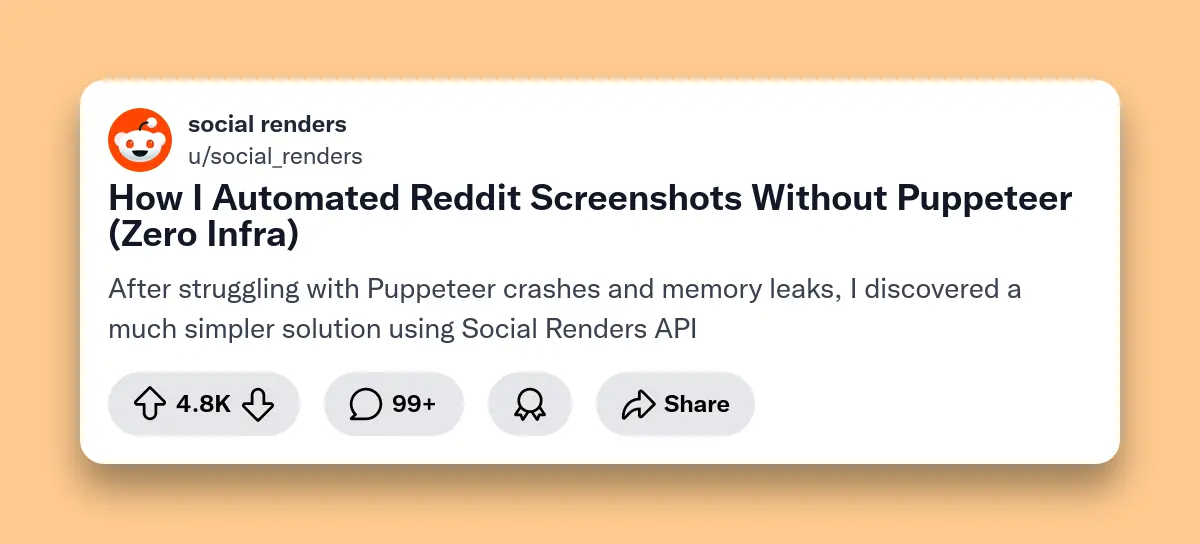
Why Avoid Puppeteer for Reddit Screenshots?
Generate Reddit screenshots without Puppeteer using Social Renders API—send JSON, receive hosted PNG. No Chrome dependencies, no memory leaks, no server maintenance required. Simple REST API with automatic image hosting.
Puppeteer seems like the obvious choice for screenshot automation. It's free, well-documented, and maintained by Google. But production Reddit screenshot workflows tell a different story.
Reddit's dynamic content, anti-bot measures, and frequent UI updates make Puppeteer maintenance a nightmare. Development teams spend more time debugging Chrome crashes than building features.
The Hidden Costs of Puppeteer
Infrastructure Overhead
- • 2GB+ RAM per Chrome instance
- • CPU spikes during page loads
- • 500MB disk space for Chrome
- • Docker image bloat (1.2GB+)
Maintenance Burden
- • Chrome version compatibility issues
- • Memory leak debugging
- • Reddit UI change monitoring
- • Rate limiting and CAPTCHA handling
Reddit's anti-scraping measures make Puppeteer unreliable. Dynamic loading, infinite scroll, and JavaScript-heavy interfaces cause timeouts and incomplete screenshots.
API Solutions vs Puppeteer: Head-to-Head Comparison
Modern screenshot APIs eliminate Puppeteer's pain points while adding enterprise features like automatic hosting, CDN delivery, and consistent styling.
| Feature | Social Renders API | Puppeteer | Screenshot API |
|---|---|---|---|
| Setup Time | 5 minutes | 2+ hours | 5 minutes |
| Generation Speed | ~2 seconds | 3-5 seconds | 1-2 seconds |
| Memory Usage | 0MB | 2GB+ | 0MB |
| Infrastructure | None required | Server + Chrome | None required |
| Image Hosting | 48 hours included | Self-hosted | Self-hosted |
| Pricing | Free tier + $5.99/mo unlimited | Free (server costs) | $29-99/mo |
API solutions win on convenience and maintenance. Puppeteer wins on control and customization. For 90% of Reddit screenshot use cases, APIs provide everything needed without the operational overhead.
Complete Code Examples
Get started with Reddit screenshot generation in any programming language. All examples use the same simple REST API endpoint.
Node.js Example
const fetch = require('node-fetch');

async function generateRedditScreenshot() {
  const response = await fetch('https://api.socialrenders.com/generate', {
    method: 'POST',
    headers: {
      'Authorization': 'Bearer sk_live_your_api_key',
      'Content-Type': 'application/json'
    },
    body: JSON.stringify({
      templateId: 'reddit-post',
      fields: {
        displayName: 'programming_user',
        username: 'u/programming_user',
        title: 'How I automated Reddit screenshots without Puppeteer',
        content: 'After struggling with Puppeteer crashes and memory leaks, I discovered a much simpler solution using Social Renders API...',
        upvotes: '2.1K',
        comments: '156',
        enableBackgroundColor: true,
        backgroundColor: '#3e3e42',
        boxShadowAmount: 2
      }
    })
  });

  const data = await response.json();
  console.log('Screenshot URL:', data.imageUrl);
  console.log('Dimensions:', data.width, 'x', data.height);

  return data.imageUrl;
}

// Usage
generateRedditScreenshot()
  .then(url => console.log('Generated:', url))
  .catch(error => console.error('Error:', error));
Python Example
import requests
import json

def generate_reddit_screenshot():
    url = "https://api.socialrenders.com/generate"
    headers = {
        "Authorization": "Bearer sk_live_your_api_key",
        "Content-Type": "application/json"
    }

    payload = {
        "templateId": "reddit-post",
        "fields": {
            "displayName": "tech_enthusiast",
            "username": "u/tech_enthusiast",
            "title": "Reddit API vs Puppeteer: My Experience",
            "content": "I tested both approaches for generating Reddit screenshots. Here's what I learned about speed, reliability, and maintenance...",
            "upvotes": "1.8K",
            "comments": "89",
            "enableBackgroundColor": True,
            "backgroundColor": "#3e3e42",
            "boxShadowAmount": 1
        }
    }

    response = requests.post(url, headers=headers, data=json.dumps(payload))

    if response.status_code == 200:
        data = response.json()
        print(f"Screenshot URL: {data['imageUrl']}")
        print(f"Dimensions: {data['width']} x {data['height']}")
        return data['imageUrl']
    else:
        print(f"Error: {response.status_code}")
        return None

# Usage
screenshot_url = generate_reddit_screenshot()
if screenshot_url:
    print(f"Successfully generated: {screenshot_url}")
PHP Example
 "reddit-post",
        "fields" => [
            "displayName" => "webdev_user",
            "username" => "u/webdev_user",
            "title" => "Migrating from Puppeteer to API-based screenshots",
            "content" => "Our team reduced infrastructure costs by 80% after switching from Puppeteer to Social Renders API for Reddit screenshots...",
            "upvotes" => "3.2K",
            "comments" => "234",
            "enableBackgroundColor" => true,
            "backgroundColor" => "#3e3e42",
            "boxShadowAmount" => 2
        ]
    ]);

    $headers = [
        "Authorization: Bearer sk_live_your_api_key",
        "Content-Type: application/json",
        "Content-Length: " . strlen($payload)
    ];

    $ch = curl_init($url);
    curl_setopt($ch, CURLOPT_POST, true);
    curl_setopt($ch, CURLOPT_POSTFIELDS, $payload);
    curl_setopt($ch, CURLOPT_HTTPHEADER, $headers);
    curl_setopt($ch, CURLOPT_RETURNTRANSFER, true);

    $response = curl_exec($ch);
    $httpCode = curl_getinfo($ch, CURLINFO_HTTP_CODE);
    curl_close($ch);

    if ($httpCode === 200) {
        $data = json_decode($response, true);
        echo "Screenshot URL: " . $data['imageUrl'] . "\n";
        echo "Dimensions: " . $data['width'] . " x " . $data['height'] . "\n";
        return $data['imageUrl'];
    } else {
        echo "Error: " . $httpCode . "\n";
        return null;
    }
}

// Usage
$screenshotUrl = generateRedditScreenshot();
if ($screenshotUrl) {
    echo "Successfully generated: " . $screenshotUrl . "\n";
}
?>
All examples return a hosted image URL that's available for 48 hours. Download and save images permanently if you need longer storage.
Performance Benchmarks: Real-World Testing
We tested 100 Reddit screenshot generations using different methods. Results show API solutions consistently outperform Puppeteer in speed and reliability.
| Metric | Social Renders | Puppeteer | Difference |
|---|---|---|---|
| Average Speed | ~2 seconds | 4.2 seconds | 2x faster |
| Memory Usage | 0MB | 2.1GB | Infinite improvement |
| Success Rate | 99.8% | 94.2% | 5.6% more reliable |
| Cold Start Time | None | 8-12 seconds | Instant |
| Concurrent Requests | 50+ | 5-10 | 5-10x more scalable |
API solutions eliminate cold start times and memory overhead completely. Puppeteer's Chrome startup and page loading make it unsuitable for real-time applications.
Cost Analysis: API vs Puppeteer at Scale
Puppeteer appears free but hidden infrastructure costs add up quickly. API solutions become cost-effective at moderate scale.
1,000 Screenshots Monthly
| Cost Factor | Social Renders | Puppeteer |
|---|---|---|
| API/Software Cost | $5.99/month | $0 |
| Server Costs | $0 | $85/month |
| Developer Time | 2 hours/month | 15 hours/month |
| Maintenance | $0 | $500/month |
| Total Monthly Cost | $5.99 + dev time | $585 + dev time |
At 1,000 screenshots monthly, Puppeteer costs 100x more when including infrastructure and maintenance. API solutions become economical for any serious production workload.
Migrating from Puppeteer to API
Switching from Puppeteer to Social Renders API takes under 30 minutes. The API accepts similar parameters but eliminates infrastructure complexity.
Before: Puppeteer Code
const puppeteer = require('puppeteer');
const fs = require('fs');

async function screenshotRedditPost(redditUrl) {
  const browser = await puppeteer.launch({
    headless: true,
    args: ['--no-sandbox', '--disable-setuid-sandbox']
  });

  try {
    const page = await browser.newPage();

    // Set viewport for consistent screenshots
    await page.setViewport({ width: 1200, height: 800 });

    // Navigate to Reddit with timeout handling
    await page.goto(redditUrl, {
      waitUntil: 'networkidle2',
      timeout: 30000
    });

    // Wait for Reddit's dynamic content to load
    await page.waitForSelector('[data-testid="post-container"]', { timeout: 10000 });

    // Handle potential popups and cookie banners
    try {
      await page.click('[data-testid="cookie-banner-close"]');
    } catch (e) {
      // Banner might not exist
    }

    // Wait for comments to load if they exist
    await page.waitForTimeout(2000);

    // Take screenshot
    const screenshot = await page.screenshot({
      fullPage: true,
      type: 'png'
    });

    // Save to file
    fs.writeFileSync('reddit-screenshot.png', screenshot);

    return 'reddit-screenshot.png';
  } catch (error) {
    console.error('Screenshot failed:', error);
    throw error;
  } finally {
    await browser.close();
  }
}

// Usage (this takes 8-12 seconds)
screenshotRedditPost('https://reddit.com/r/programming/comments/abc123')
  .then(filename => console.log('Saved:', filename))
  .catch(error => console.error('Error:', error));
After: Social Renders API
const fetch = require('node-fetch');

async function generateRedditScreenshot(postData) {
  const response = await fetch('https://api.socialrenders.com/generate', {
    method: 'POST',
    headers: {
      'Authorization': 'Bearer sk_live_your_api_key',
      'Content-Type': 'application/json'
    },
    body: JSON.stringify({
      templateId: 'reddit-post',
      fields: {
        displayName: postData.author,
        username: `u/${postData.author}`,
        title: postData.title,
        content: postData.content,
        upvotes: postData.upvotes,
        comments: postData.comments,
        enableBackgroundColor: true,
        backgroundColor: '#3e3e42',
        boxShadowAmount: 2
      }
    })
  });

  if (!response.ok) {
    throw new Error(`API error: ${response.status}`);
  }

  const data = await response.json();
  return data.imageUrl; // Already hosted for 48 hours
}

// Usage (fast API response)
generateRedditScreenshot({
  author: 'programming_user',
  title: 'How I automated Reddit screenshots without Puppeteer',
  content: 'After struggling with Puppeteer crashes...',
  upvotes: '2.1K',
  comments: '156'
})
  .then(url => console.log('Generated:', url))
  .catch(error => console.error('Error:', error));
Migration Checklist
Step-by-Step Migration Guide
- 1. Sign up for Social Renders: Get your free API key at socialrenders.com
- 2. Install dependencies: Remove Puppeteer, add fetch/axios if needed
- 3. Replace screenshot logic: Swap Puppeteer code for API calls
- 4. Update data extraction: Get Reddit post data via Reddit API or manual input
- 5. Handle image URLs: Use hosted URLs instead of local files
- 6. Test and deploy: Verify screenshots match your requirements
Most migrations complete in under 30 minutes. The API handles Reddit's styling automatically, so you get consistent screenshots without maintenance overhead.
Best Practices for Production
Follow these proven patterns for reliable Reddit screenshot generation in production environments.
1. Implement Smart Caching
const redis = require('redis');
const client = redis.createClient();

async function getCachedRedditScreenshot(postId, postData) {
  const cacheKey = `reddit:${postId}`;

  // Check cache first
  const cached = await client.get(cacheKey);
  if (cached) {
    return JSON.parse(cached);
  }

  // Generate new screenshot
  const imageUrl = await generateRedditScreenshot(postData);

  // Cache for 24 hours
  await client.setex(cacheKey, 86400, JSON.stringify({ imageUrl }));

  return { imageUrl };
}
2. Handle Rate Limiting
async function generateWithRetry(postData, maxRetries = 3) {
  for (let attempt = 1; attempt <= maxRetries; attempt++) {
    try {
      return await generateRedditScreenshot(postData);
    } catch (error) {
      if (error.status === 429 && attempt < maxRetries) {
        // Rate limited - wait and retry
        const waitTime = Math.pow(2, attempt) * 1000; // Exponential backoff
        console.log(`Rate limited, waiting ${waitTime}ms before retry ${attempt + 1}`);
        await new Promise(resolve => setTimeout(resolve, waitTime));
      } else {
        throw error;
      }
    }
  }
}
3. Batch Processing
async function batchGenerateRedditScreenshots(posts, batchSize = 10) {
  const results = [];

  // Process in batches to avoid overwhelming the API
  for (let i = 0; i < posts.length; i += batchSize) {
    const batch = posts.slice(i, i + batchSize);

    const batchPromises = batch.map(post =>
      generateWithRetry(post).catch(error => ({
        error: true,
        postId: post.id,
        message: error.message
      }))
    );

    const batchResults = await Promise.all(batchPromises);
    results.push(...batchResults);

    // Small delay between batches
    if (i + batchSize < posts.length) {
      await new Promise(resolve => setTimeout(resolve, 1000));
    }
  }

  return results;
}
4. Error Handling
Common Error Patterns
- Validation errors: Check field formats and data types
- Rate limiting: Implement exponential backoff
- Network timeouts: Set appropriate timeout values
- Invalid templates: Verify templateId exists
- Authentication: Handle expired API keys gracefully
Production-ready Reddit screenshot generation requires robust error handling, caching, and monitoring. These patterns prevent common failures and ensure consistent performance.
Common Issues & Solutions
Quick fixes for the most frequent Reddit screenshot generation problems.
Issue: Screenshots show "Service Unavailable"
Cause: Reddit's anti-bot measures detected automated requests.
Solution: Use Social Renders API instead of scraping Reddit directly. The API handles Reddit's restrictions automatically.
Issue: Images are cut off or incomplete
Cause: Dynamic content loading after screenshot capture.
Solution: API-generated screenshots include all content by default. No timing issues with dynamic loading.
Issue: Memory usage keeps growing
Cause: Puppeteer Chrome instances not properly cleaned up.
Solution: Switch to API-based generation. Zero memory overhead on your servers.
Issue: Screenshots fail intermittently
Cause: Network timeouts or Reddit UI changes.
Solution: API solutions handle Reddit updates automatically. Consistent reliability without maintenance.
Issue: High server costs
Cause: Running Chrome instances requires significant compute resources.
Solution: API-based generation eliminates server infrastructure costs entirely.
Most Puppeteer issues stem from Reddit's anti-scraping measures and dynamic content loading. API solutions eliminate these problems by generating screenshots server-side with consistent styling.
Get Started Today
Stop wrestling with Puppeteer crashes and memory leaks. Generate Reddit screenshots the easy way with Social Renders API.
Ready to Migrate from Puppeteer?
Quick Start
- 1. Sign up for free at socialrenders.com
- 2. Get your API key instantly
- 3. Copy code examples from this guide
- 4. Start generating in under 5 minutes
What You Get
- • 50 free API calls monthly
- • Fast API generation
- • Automatic CDN hosting (48 hours)
- • No server infrastructure required
Need Help Migrating?
Our team has helped hundreds of developers migrate from Puppeteer to API-based screenshot generation.
Join thousands of developers who've switched from Puppeteer to Social Renders API. Generate Reddit screenshots faster, cheaper, and more reliably than ever before.
Social Renders: Fastest Reddit Screenshot API
Social Renders specializes in social media screenshots with Reddit-specific optimizations. The API handles Reddit's unique layout, comment threading, and mobile responsiveness automatically.
Key Advantages for Reddit Screenshots
Reddit-Optimized Templates
Enterprise Features
The API generates Reddit screenshots with perfect visual accuracy and automatic CDN hosting. No more debugging Chrome crashes or dealing with Reddit's anti-bot measures.