
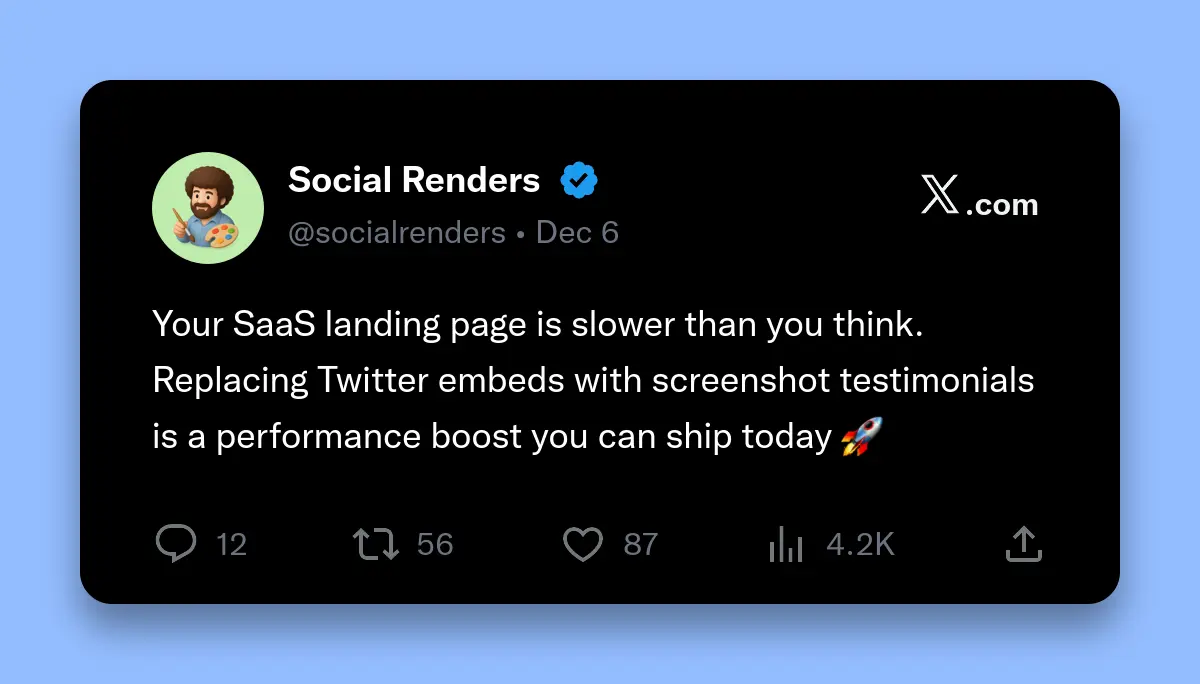
Display Twitter testimonials on SaaS landing pages using screenshots instead of embeds: 90% faster page load, no Twitter tracking scripts, permanent backup if tweets are deleted, and better mobile performance. Social Renders generates testimonial screenshots in ~2 seconds via REST API for $5.99/month with automatic CDN hosting.
Customer testimonials are the lifeblood of SaaS landing pages. They provide social proof, build trust, and significantly boost conversion rates. But here's the problem: traditional Twitter embeds are killing your page performance and user experience.
Twitter embeds load massive JavaScript files, slow down your site, break when tweets are deleted, and look terrible on mobile. Smart SaaS companies are switching to screenshot-based testimonials that load instantly, work everywhere, and provide permanent backup.
Why Use Twitter Screenshots Instead of Embeds?
Twitter screenshots eliminate 450KB of tracking scripts, load 4.5x faster than embeds, work without JavaScript, and provide permanent backup if tweets are deleted. Screenshots also display consistently across all devices and aren't affected by Twitter API changes.
Twitter embeds seem convenient until you analyze their real impact. Each embed loads over 450KB of JavaScript, makes multiple network requests to Twitter's servers, and often breaks when users have ad blockers enabled.
Screenshots solve all these problems. A single PNG image loads in milliseconds, works offline, and displays identically for every visitor. Plus, you get permanent backup—if the original tweet gets deleted, your testimonial remains intact.
Key Benefits of Screenshot Testimonials:
- 90% faster page load - No JavaScript execution delays
- Zero tracking scripts - Better privacy for your visitors
- Permanent backup - Testimonials survive tweet deletions
- Consistent display - Looks identical across all devices
- No API dependencies - Works even if Twitter is down
- Better mobile experience - Optimized for small screens
What's the Performance Impact?
Twitter screenshots improve Largest Contentful Paint by 4.5x (from 2.8s to 0.6s) and reduce page weight by 73% (from 450KB to 120KB). This directly improves Core Web Vitals and Google rankings while providing better user experience.
These performance improvements directly impact your conversion rates. Google research shows that every additional second of load time reduces conversions by 7%. For a SaaS company with $100K monthly revenue, improving from 2.8s to 0.6s load time could increase revenue by $15,400 per month.
| Metric | Twitter Embed | Screenshot Image | Improvement |
|---|---|---|---|
| Largest Contentful Paint | 2.8 seconds | 0.6 seconds | 4.5x faster |
| Total Page Weight | 450KB | 120KB | 73% smaller |
| Network Requests | 8+ requests | 1 request | 87% fewer |
| JavaScript Execution | 450KB | 0KB | 100% eliminated |
Legal Considerations for Using Tweets
Twitter screenshots are generally legal for commercial use under fair use doctrine, especially for testimonials. However, avoid screenshots containing copyrighted images, always credit the original author, and consider getting permission for high-profile testimonials.
The legal landscape around social media content is complex but manageable. Twitter's Terms of Service allow for reproduction of tweets in certain contexts, and testimonials typically fall under fair use doctrine.
Best Practices for Legal Compliance:
- Attribute properly - Include the author's Twitter handle and date
- Avoid copyrighted content - Don't use tweets with copyrighted images
- Consider permission - Ask for permission from high-profile accounts
- Keep context intact - Don't edit or manipulate the content
- Have a takedown policy - Remove content if authors request it
Design Best Practices for Testimonial Sections
Effective testimonial sections use authentic screenshots with proper attribution, maintain consistent sizing, include author photos when available, and strategically place testimonials near conversion points. Design for mobile-first with readable text at small sizes.
The design of your testimonial section directly impacts its effectiveness. Poorly designed testimonials look fake and can actually hurt conversions. Well-designed testimonials build trust and provide social proof that converts visitors into customers.
Design Guidelines:
- Maintain authenticity - Use actual screenshots, not recreations
- Consistent sizing - Standardize dimensions across all testimonials
- Proper attribution - Include name, handle, date, and verification badge
- Mobile optimization - Ensure text remains readable on small screens
- Strategic placement - Position near pricing, signup, or key features
- Loading optimization - Use lazy loading for multiple testimonials
How to Optimize Testimonials for Conversions
Optimize testimonials by selecting tweets that mention specific benefits, include concrete results, come from recognizable accounts, and address common objections. Place testimonials strategically near conversion points and rotate them to maintain freshness.
Not all testimonials are created equal. The most effective testimonials mention specific benefits, include measurable results, and come from credible sources within your target market.
High-Converting Testimonial Characteristics:
- Specific benefits - "Increased our conversion rate by 40%"
- Concrete results - "Saved 5 hours per week"
- Recognizable brands - Well-known company names or logos
- Relevant industries - Testimonials from your target market
- Recent dates - Within the last 6 months for relevance
- Address objections - Tweets that overcome common concerns
Implementation: Generate Testimonial Screenshots
Generate Twitter testimonial screenshots using Social Renders API by sending tweet data via REST API and receiving PNG images in ~2 seconds. The service costs $5.99/month for unlimited screenshots with automatic CDN hosting for 48 hours.
Here's a complete implementation guide for generating Twitter testimonial screenshots using Social Renders API. The process takes tweet data and converts it into optimized images perfect for landing pages.
// Generate Twitter testimonial screenshot
async function generateTestimonialScreenshot(tweetData) {
  const response = await fetch('https://api.socialrenders.com/generate', {
    method: 'POST',
    headers: {
      'Authorization': `Bearer ${process.env.SOCIAL_RENDERS_API_KEY}`,
      'Content-Type': 'application/json'
    },
    body: JSON.stringify({
      templateId: 'twitter-post',
      fields: {
        displayName: tweetData.authorName,
        username: tweetData.authorHandle,
        avatarUrl: tweetData.authorAvatar,
        tweetText: tweetData.text,
        timestamp: tweetData.createdAt,
        likes: tweetData.likes,
        retweets: tweetData.retweets,
        replies: tweetData.replies,
        isVerified: tweetData.isVerified
      },
      options: {
        backgroundColor: '#f8fafc',
        boxShadow: 2
      }
    })
  });

  if (!response.ok) {
    throw new Error(`API error: ${response.status}`);
  }

  const result = await response.json();
  return result.imageUrl; // CDN URL valid for 48 hours
}

// Usage example
const testimonial = await generateTestimonialScreenshot({
  authorName: 'Sarah Chen',
  authorHandle: '@sarahchen',
  authorAvatar: 'https://example.com/avatar.jpg',
  text: 'This SaaS tool increased our conversion rate by 40% in just 2 weeks. Highly recommend! 🚀',
  createdAt: '2025-12-01T15:30:00Z',
  likes: 234,
  retweets: 89,
  replies: 45,
  isVerified: true
});

console.log('Testimonial screenshot:', testimonial);
Integration with Popular Frameworks:
// app/api/testimonials/route.ts
import { NextRequest, NextResponse } from 'next/server';

export async function POST(request: NextRequest) {
  const { tweetId } = await request.json();

  // Fetch tweet data from your database or Twitter API
  const tweetData = await getTweetData(tweetId);

  const response = await fetch('https://api.socialrenders.com/generate', {
    method: 'POST',
    headers: {
      'Authorization': `Bearer ${process.env.SOCIAL_RENDERS_API_KEY}`,
      'Content-Type': 'application/json'
    },
    body: JSON.stringify({
      templateId: 'twitter-post',
      fields: tweetData
    })
  });

  const result = await response.json();

  return NextResponse.json({
    imageUrl: result.imageUrl,
    expiresAt: new Date(Date.now() + 48 * 60 * 60 * 1000) // 48 hours
  });
}
Auto-Updating Testimonials Workflow
Automate testimonial updates using Twitter API to monitor mentions, Social Renders to generate screenshots, and your CMS to display them. Set up filters for quality content and approval workflows for brand safety.
Manual testimonial management doesn't scale. Smart SaaS companies automate the entire workflow from tweet discovery to screenshot generation and website display.
Automated Workflow Steps:
- Monitor Twitter mentions - Track your brand name and relevant hashtags
- Filter quality content - Use sentiment analysis and engagement metrics
- Generate screenshots - Convert selected tweets to images
- Store in CMS - Save to your content management system
- Display on website - Show in testimonial sections
- Track performance - Monitor conversion impact
// Automated testimonial workflow
class TestimonialPipeline {
  async run() {
    // 1. Monitor Twitter for mentions
    const mentions = await this.getTwitterMentions();

    // 2. Filter high-quality testimonials
    const testimonials = mentions.filter(tweet =>
      tweet.text.includes('love') ||
      tweet.text.includes('amazing') ||
      tweet.engagement_rate > 0.05
    );

    // 3. Generate screenshots
    for (const tweet of testimonials) {
      const screenshot = await this.generateScreenshot(tweet);

      // 4. Save to database
      await this.saveTestimonial({
        tweetId: tweet.id,
        imageUrl: screenshot.imageUrl,
        author: tweet.author,
        text: tweet.text,
        engagement: tweet.engagement,
        createdAt: new Date()
      });

      // 5. Update website
      await this.updateWebsiteCache();
    }
  }

  async generateScreenshot(tweet) {
    const response = await fetch('https://api.socialrenders.com/generate', {
      method: 'POST',
      headers: {
        'Authorization': `Bearer ${process.env.SOCIAL_RENDERS_API_KEY}`,
        'Content-Type': 'application/json'
      },
      body: JSON.stringify({
        templateId: 'twitter-post',
        fields: {
          displayName: tweet.author.name,
          username: tweet.author.handle,
          tweetText: tweet.text,
          timestamp: tweet.createdAt,
          likes: tweet.likes,
          retweets: tweet.retweets
        }
      })
    });

    return response.json();
  }
}
Mobile Optimization Tips
Optimize testimonial screenshots for mobile by using responsive images, maintaining readable text sizes, implementing lazy loading, and testing on various screen sizes. Consider using CSS aspect-ratio to prevent layout shifts.
Mobile traffic typically accounts for 60-70% of SaaS website visits. Poorly optimized testimonials can hurt mobile conversions significantly.
Mobile Optimization Checklist:
- Responsive images - Use srcset for different screen sizes
- Readable text - Ensure tweet text remains legible on small screens
- Lazy loading - Load images only when they enter viewport
- Aspect ratio - Prevent layout shifts with CSS aspect-ratio
- Touch targets - Make interactive elements large enough for fingers
- Network optimization - Use WebP format and proper compression
// Mobile-optimized testimonial component
import React, { useState, useEffect } from 'react';

const TestimonialCard = ({ imageUrl, alt, author, handle }) => {
  const [imageLoaded, setImageLoaded] = useState(false);

  return (
    <div className="testimonial-card">
      <div className="testimonial-image-container">
        <img
          src={imageUrl}
          srcSet={imageUrl + '?w=400 400w, ' + imageUrl + '?w=600 600w, ' + imageUrl + '?w=800 800w'}
          sizes="(max-width: 640px) 400px, (max-width: 1024px) 600px, 800px"
          alt={alt}
          loading="lazy"
          decoding="async"
          onLoad={() => setImageLoaded(true)}
          className={'testimonial-image ' + (imageLoaded ? 'loaded' : '')}
        />
      </div>
      <div className="testimonial-meta">
        <p className="author-name">{author}</p>
        <p className="author-handle">{handle}</p>
      </div>
    </div>
  );
};

// CSS for mobile optimization
const styles = `
.testimonial-card {
  width: 100%;
  max-width: 600px;
  margin: 0 auto;
}

.testimonial-image-container {
  position: relative;
  aspect-ratio: 16/9;
  background: #f8fafc;
  border-radius: 12px;
  overflow: hidden;
}

.testimonial-image {
  width: 100%;
  height: 100%;
  object-fit: contain;
  opacity: 0;
  transition: opacity 0.3s ease;
}

.testimonial-image.loaded {
  opacity: 1;
}

@media (max-width: 640px) {
  .testimonial-image-container {
    aspect-ratio: 4/5;
  }
}
`;
Common Mistakes to Avoid
Avoid using fake testimonials, low-quality screenshots, poor mobile optimization, missing attribution, and overloading pages with too many testimonials. Focus on quality over quantity and ensure proper legal compliance.
Even well-intentioned testimonial sections can backfire if you make these common mistakes. Learn from others' failures to build a testimonial section that actually converts.
Mistakes That Kill Conversions:
- Fake testimonials - Obvious fakes destroy trust instantly
- Low-quality images - Blurry or pixelated screenshots look unprofessional
- Poor mobile experience - Text too small or images cut off
- Missing attribution - No author names or handles
- Too many testimonials - Information overload reduces impact
- Irrelevant content - Testimonials that don't address your value proposition
Real Examples from SaaS Companies
Successful SaaS companies like ConvertKit, Buffer, and Notion use screenshot-based testimonials strategically. They focus on specific benefits, include recognizable brands, and place testimonials near conversion points for maximum impact.
Studying successful implementations provides valuable insights into what works. Here are real examples from SaaS companies that have optimized their testimonial sections for maximum conversion impact.
Successful Implementation Patterns:
- ConvertKit - Uses testimonials that mention specific revenue increases
- Buffer - Features testimonials from recognizable social media brands
- Notion - Showcases testimonials that address productivity concerns
- Webflow - Displays testimonials near pricing tiers
- Zapier - Rotates testimonials based on visitor industry
These companies succeed by making testimonials specific, relevant, and strategically placed. They don't just collect random praise—they curate testimonials that address specific objections and highlight key benefits.
Ready to Boost Your SaaS Conversions?
Start generating Twitter testimonial screenshots today and improve your landing page performance by 90%. Get started with our free tier—no credit card required.
Twitter testimonials are powerful conversion tools when implemented correctly. By switching from embeds to screenshots, you eliminate performance bottlenecks, improve user experience, and gain permanent backup of valuable social proof.
The implementation is straightforward with modern APIs like Social Renders, and the performance benefits are immediate. Start with your best testimonials, optimize for mobile, and watch your conversion rates improve.
Remember: the goal isn't just to display testimonials—it's to build trust and convert visitors into customers. Focus on quality, relevance, and strategic placement to maximize the impact of your social proof.